


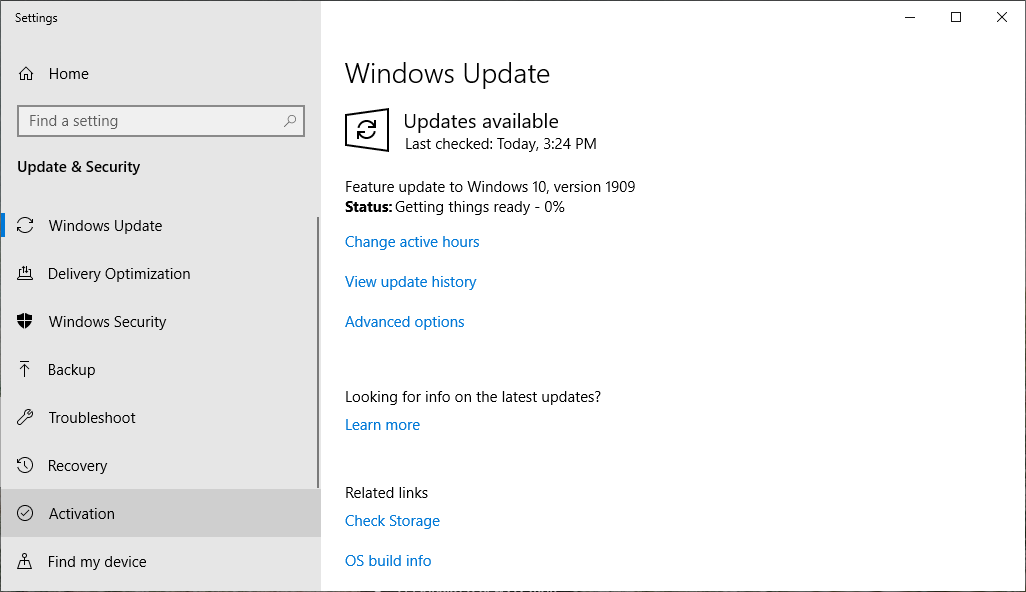
Microsoft says that Windows 10 1909 feature updates will start automatically installing on Windows 10 1809 devices beginning today to smooth out the update process to a more recent Windows 10 version.
"Beginning today, we will slowly start the phased process to automatically initiate a feature update for devices running the October 2018 Update (Windows 10, version 1809) Home and Pro editions, keeping those devices supported and receiving the monthly updates that are critical to device security and ecosystem health," Microsoft says.
"We are starting this rollout process several months in advance of the end of service date to provide adequate time for a smooth update process," the company adds on the Windows 10 Health Dashboard.
No updates for Windows 10 1809 after May 12, 2020
Windows 10, version 1809 was made available more than a year ago, on November 13, 2018, and it has an end of service date of May 12, 2020, for Home, Pro, Pro Education, and Pro for Workstations editions.
After May 12, 2020, devices still running the October 2018 Update will no longer receive any future quality and security updates.
However, extremely rarely, Microsoft might still issue updates for highly critical security vulnerabilities that may potentially have a major impact on no longer serviced versions such as Windows 10 1809.
This happened this year in May when a security update for the no longer supported Windows XP and Windows Server 2003 was released to patch the wormable Remote Code Execution vulnerability (CVE-2019-0708) discovered in the Remote Desktop Services (RDS) platform and later dubbed BlueKeep.
Windows 10 1803 device auto-updated in November
This forced process of initiating a feature update on all Windows 10 devices that are either at or within several months of reaching their end of service is Microsoft's approach of keeping them under support and receiving important updates.
Last month, for instance, Microsoft started updating devices running Windows 10, version 1803 (aka the April 2018 Update) Home and Pro editions to Windows 10 1903 after they reached end of service on November 12, following an earlier end of support warning from October.
At the time though, Redmond also provided customers with the handy ability to choose a convenient time, unlike the case of Windows 10 1809 devices where no such option is mentioned.
Despite this, users might still be able to defer the automatically initiated feature update on their outdated Windows 10 devices with the help of advanced update settings that might provide them with a pause option.
To do this you will have to click the Start button, go to Settings > Update & Security > Windows Update, and then choose one of the following options:
- Select Pause updates for 7 days.
- Select Advanced options. Then, in the Pause updates section, select the drop-down menu and specify a date for updates to resume.
It's important to note however that once the Windows update pause limit is reached, you'll be forced to install the latest updates before being able to pause updates again.