


Microsoft's developers are adding a new malware Zero-hour Auto Purge (ZAP) toggle to the Office 365 Security & Compliance Center to allow configuration without using a PowerShell cmdlet.
The ZAP Exchange Online feature is designed to detect and remove phishing, spam, or malicious email messages that for one reason or another — usually this happens when an attacker enables the malicious part after delivery — have already landed in an Office 365 user's inbox.
ZAP comes with all Office 365 subscriptions that have an Exchange Online mailbox and is available with the default Exchange Online Protection.
"This update brings the ability to enable or disable malware Zero-hour Auto Purge via the anti-malware policy UI in the Security & Compliance Center," says the feature's Microsoft 365 roadmap entry. "Prior to this, malware ZAP could only be configured using the Set-MalwareFilterPolicy powershell cmdlet."
An overview on how ZAP works is available in the video embedded below.
Rolling out in October, released in November
The new Security & Compliance Center anti-malware policy ZAP toggle feature is currently rolling out to all Office 365 environments and it will be released in November.
The feature's malware, phish, and spam engines are enabled by default in their respective policies and they will act according to the automated behavior configured for each of them — Malware ZAP will remove malicious attachments automatically, while the Phish and Spam ZAPs will move the entire messages to the Junk folder unless set up to take no action.
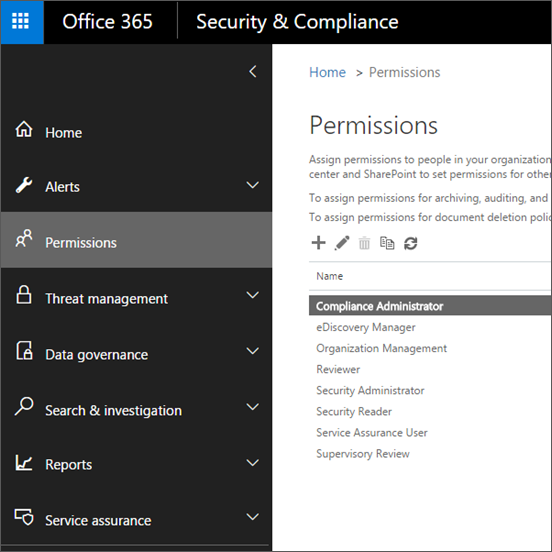
"The Office 365 Security & Compliance Center lets you grant permissions to people who perform compliance tasks like device management, data loss prevention, eDiscovery, retention, and so on," Microsoft says.
"These people can perform only the tasks that you explicitly grant them access to. To access the Security & Compliance Center, users need to be an Office 365 global administrator or a member of one or more Security & Compliance Center role groups."
More new Offices 365 features rolling out in October
Microsoft is also rolling out the new 'Unverified Sender' feature designed to make it easier for users to identify potential phishing or spam emails delivered to their Outlook clients' inboxes.
"In order to help customers identify suspicious messages in their inbox, we've added an indicator that demonstrates Office 365 spoof intelligence was unable to verify the sender," says the company.
Redmond's developers also increased DKIM key sizes to 2048-bit from the current 1024-bit size for all customers to enhance security in all Office 365 environments.
"If you already have your default or custom domain DKIM enabled in Office 365, it will automatically be upgraded from 1024-bit to 2048-bit at your next DKIM configuration rotation date," Microsoft states.
Better Office 365 malicious emails analysis capabilities, announced back in late July and enabling Microsoft 365 admins with Threat Explorer access to presurvey and download malicious mails for further investigation, are also rolling out to all environments.
The company is also working on extending the Office 365 Advanced Threat Protection (ATP) Safe Links protection capability to Office Online apps, a feature that will provide "time-of-click verification of web addresses" for hyperlinks identified in emails and Office documents.